YouTube with Postey
How to Schedule YouTube Shorts With a Title People Search For (Plus TikTok and Reels)
Schedule one Short.
Live on YouTube, TikTok and Reels.
Name the result in your Short’s title. Shorts show up in YouTube search too
Try it free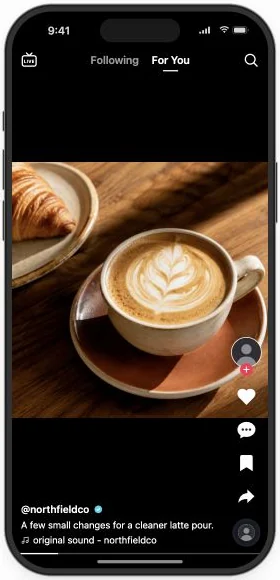
Fri · 6:00 PM IST · all three
YouTube Studio scheduled your Short. Then you uploaded the same clip to TikTok, and again to Instagram, retyping a caption each time, because Studio only posts to YouTube. In Postey, one draft schedules the video to all three, with a YouTube title and a caption written for each.
Post one Short to three apps
- Connect YouTube, TikTok and Instagram in Postey. You do this once.
- Open Create → Video and upload your Short.
- Write the YouTube title, then a caption for TikTok and Reels.
- Pick a time and schedule all three together.
Get your Short found without a clickbait title
The title is the subject line for your Short. A stranger should know what they’ll learn before they press play, and YouTube search needs words to match. Postey counts the 100 characters for you.
Latte vid 4
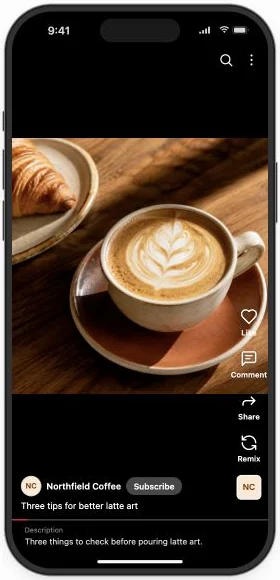
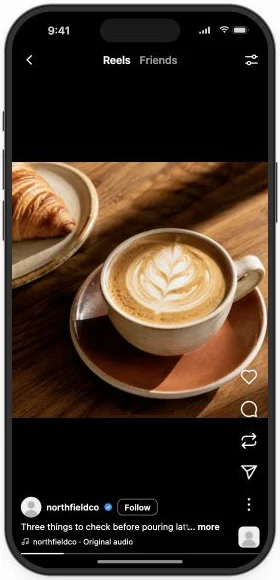
Three things to check before pouring latte art
Someone searching for latte art can find it, and gets a reason to stop scrolling.
pov: your first rosetta actually worked
Save this for your next pour
Do it in one message. Add Postey to Claude or ChatGPT as a connector and sign in once, then paste this. Nothing goes out until you approve it. No AI assistant? The steps above do the same in the Postey app.
Using Postey, give me three YouTube Shorts titles for this video, each under 100 characters, that say what viewers learn in words they’d search for: [attach the video]. Use the one I pick, write TikTok and Reels captions in my voice, and schedule all three for Friday at 6 PM after I approve them.
Schedule once, go live on three apps
Click Publish and pick Friday at 6 PM. The Short goes live on YouTube, TikTok and Reels at the same time, each with its own words.
- RepostOn X, Bluesky, LinkedIn and Threads
- Follow-up commentReply under it, e.g. at 100 likes
- DMsInstagram: message people who comment a keyword
- Delete laterRemove it if it misses your target
Schedule your next Short this way. Try it free
Before you schedule it
- The title says what the viewer learns.
- The title is 100 characters or fewer.
- TikTok and Reels each have their own caption.
- The draft shows the right channel.
Two mistakes worth avoiding
- Pasting a caption into the title. A line written for TikTok reads like half a sentence in a title field. Write the title on its own.
- Promising more than the video shows. If the title says three things, show three things. Keep it to what the Short delivers.
Studio schedules one app. In Postey, one upload schedules three, with a title YouTube search can find.