Publish everywhereFree
Run all your social media from Claude
Postey connects Claude to your social accounts. Claude writes a separate post for each network, shows you every draft, and publishes when you say yes.
Claude writes fast. Posting it doesn’t.
Today
- Copy the post into each app
- Trim it to fit every limit
- Open each app to post it
With Postey
- Ask Claude
- Check each draft
- Say yes
Ask once. Claude does the rest.
Learn what worksPaid plans
“How did my last five posts do?”
Reply to commentsPaid plans
“Reply to the comments on yesterday’s post.”
Claude reads the comments and writes a reply for each, then asks before posting them. Works on six networks.
Claude asks before anything goes live.
Publishing, scheduling, deleting and replying are marked as actions that change things, so Claude shows you the draft and waits for your yes.
Free
- Use Postey from ChatGPT, Claude and other AI apps
- A caption written for each network
- Publish up to 15 posts per network every 30 days
Paid plans add
- Schedule posts on your Postey calendar
- Read how your posts did
- Reply to comments
Set it up in five steps.
-
- X
- Threads
- Bluesky
- TikTok
- YouTube
Add Postey in Claude
A connector lets Claude use another app. Add Postey as one:
- In Claude, open Customize → Connectors → + → Add custom connector.
- Paste the link and sign in to Postey in your browser.
https://mcp.postey.ai/mcp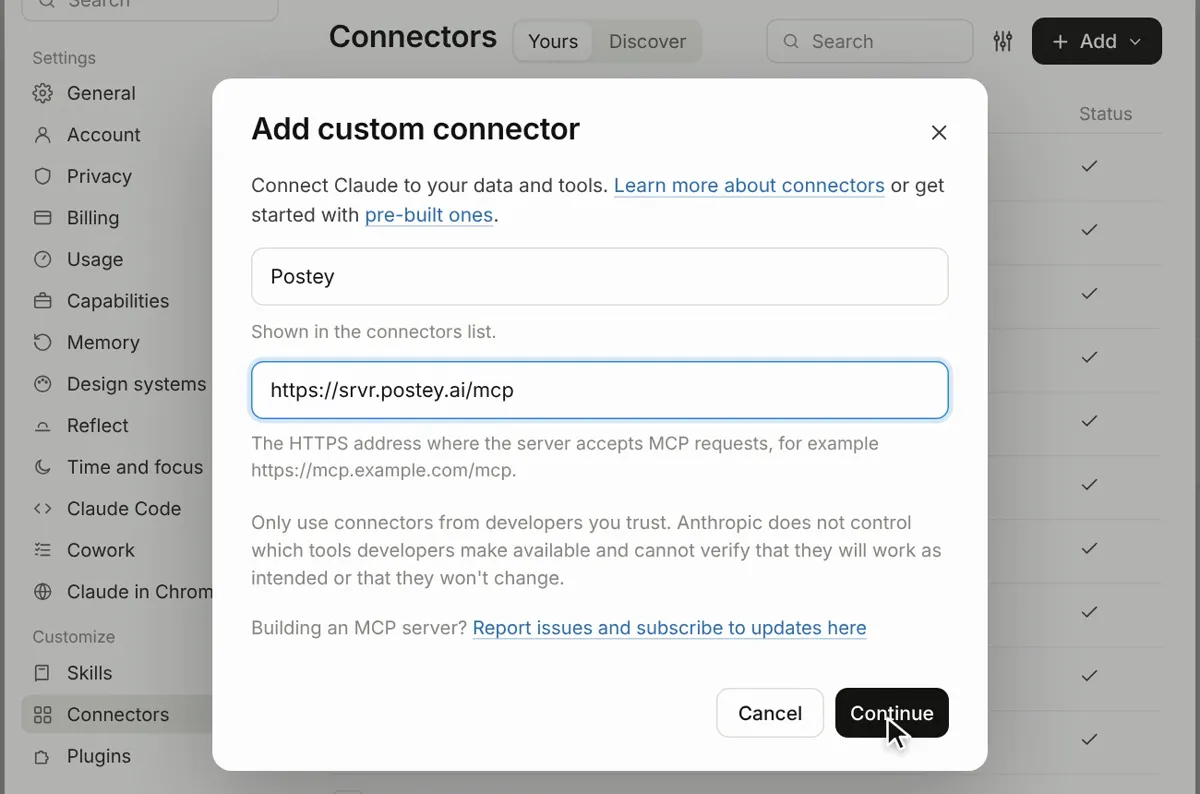
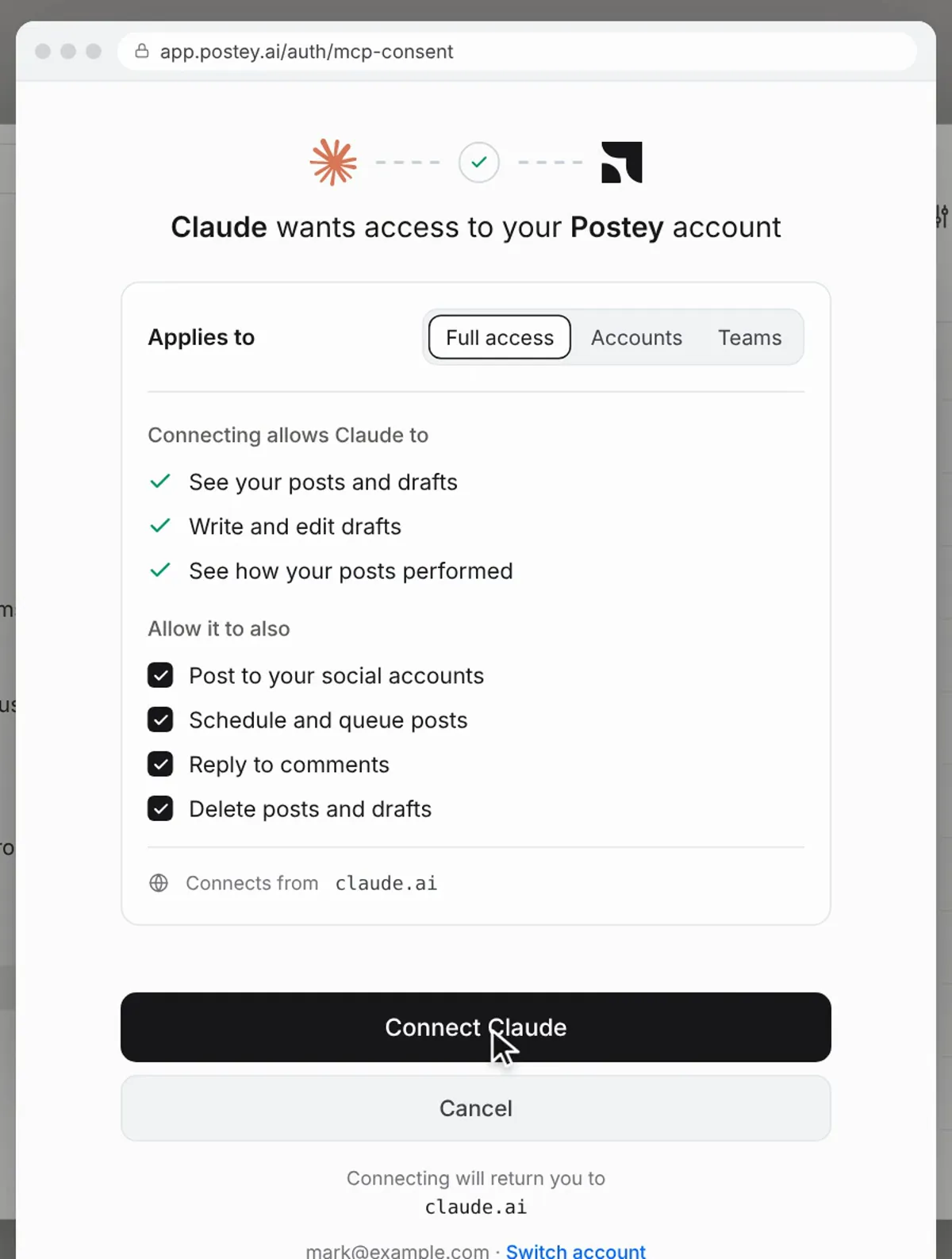
Sign in and choose access
Postey opens in your browser. Pick what Claude may do, then select Connect Claude.
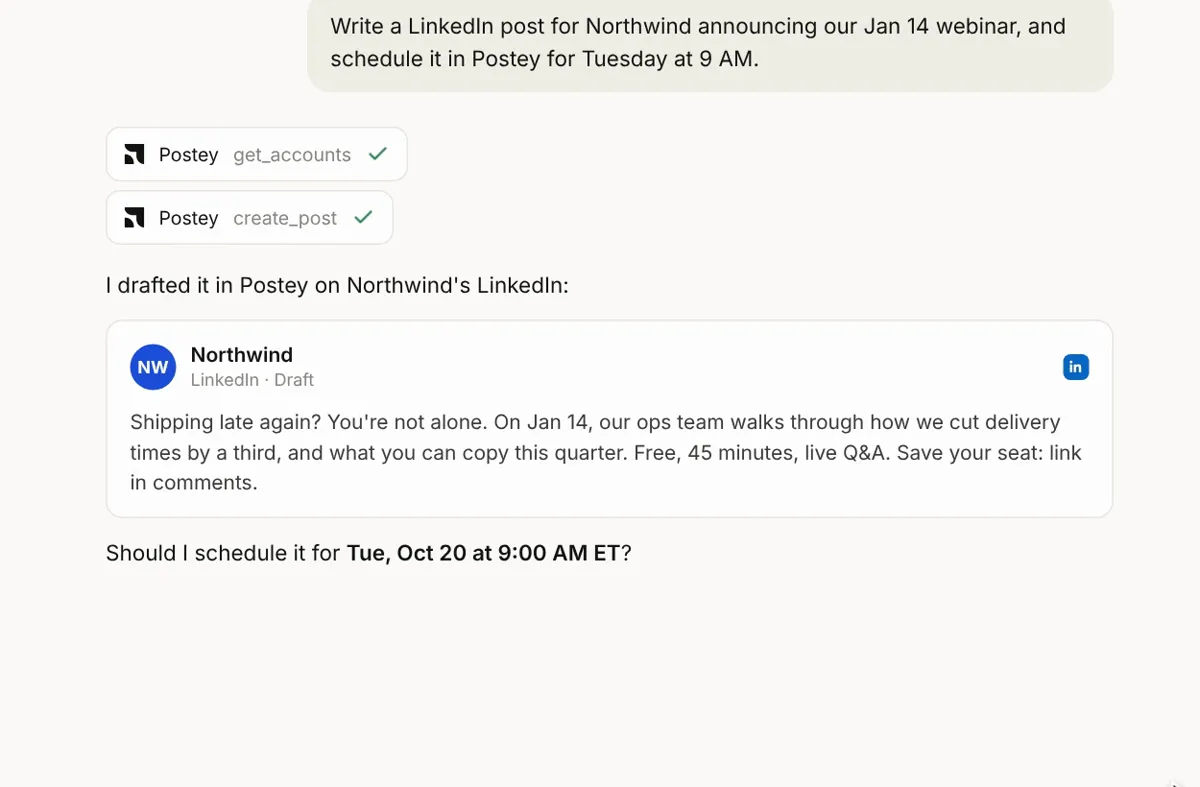
Ask for a post
Claude reads your accounts, drafts the post in Postey and shows it to you.
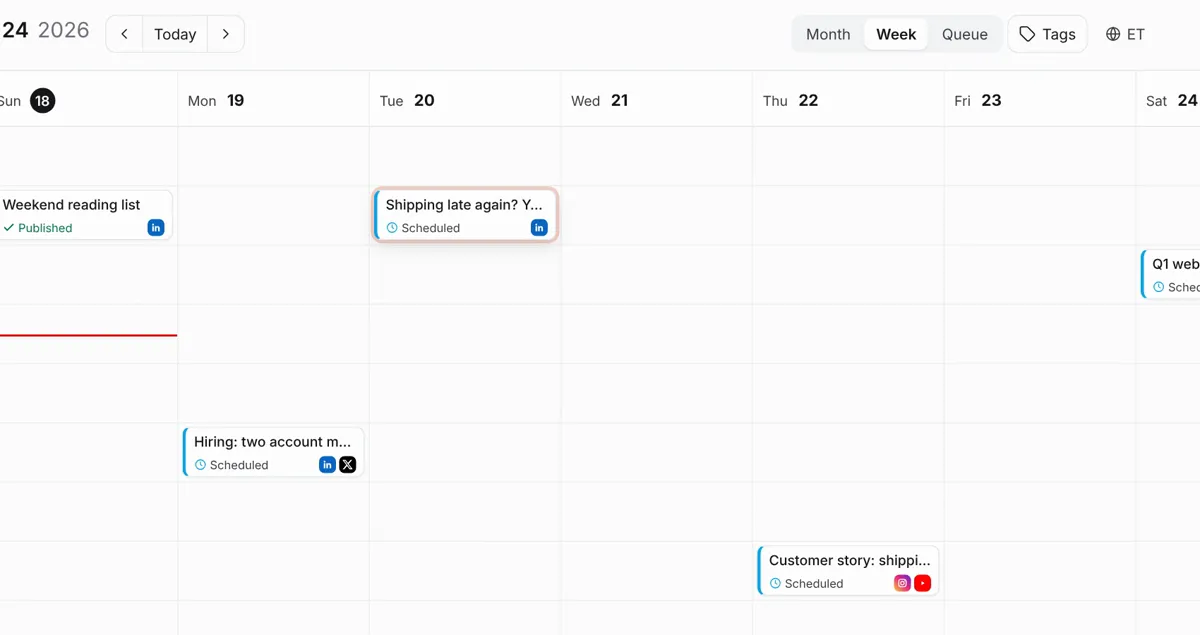
Say yes
Claude asks before anything goes live. Say yes, and the post is published, or on your Postey calendar on a paid plan.
Using Claude Code?
# Connect Postey
claude mcp add --transport http postey \
  https://mcp.postey.ai/mcp --scope user

# Or connect Postey and add the Postey skill in one go
claude plugin marketplace add posteyai/skills
claude plugin install postey@postey-skills
Using ChatGPT? ChatGPT guide · Other apps
Questions
Can Claude manage my social media?
Claude can write and plan posts on its own. To publish, schedule or read results, it needs a connection to your accounts. Postey is that connection: one MCP server that covers X, LinkedIn, Instagram, TikTok, YouTube, Threads, Bluesky, Facebook and Pinterest.
What is a connector?
A connector lets Claude use another service on your behalf. You add Postey’s link once in Claude, sign in to Postey in your browser, and Claude can then work with your social accounts. In Claude Desktop, custom connectors need a paid Claude plan.
Does Claude post without asking me?
Publishing, scheduling, deleting and replying are marked as actions that change things, so Claude asks before it runs them. You see the draft first and say yes.
Does it work in Claude Code?
Yes. Connect the server with one command, or install the Postey plugin, which connects the server and adds the Postey skill together.
What about ChatGPT and other AI apps?
The same link works in ChatGPT and any app that supports MCP servers. The ChatGPT guide and the MCP page have the steps.