TikTok with Postey
How to Schedule TikTok Videos and Post the Clean Original to Reels and Shorts
One edit, three captions,
three apps.
Give each app its own posting time. Reels at 6:30, TikTok at 7, Shorts tomorrow
Try it free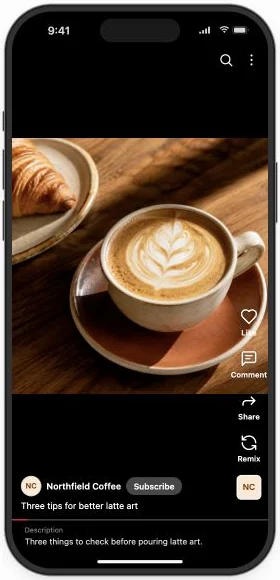
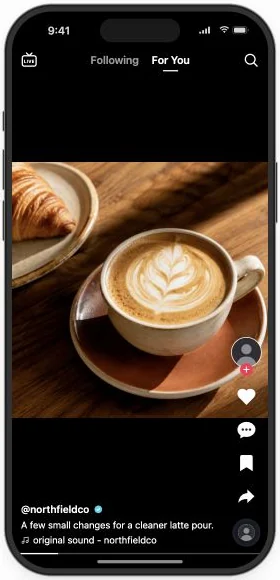
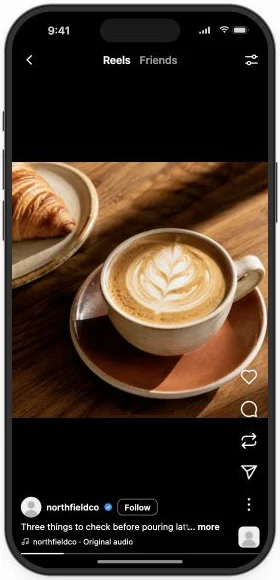
Thu 6:30 PM → Fri 6:00 PM · its own time per app
Your first rosetta finally worked, and you caught it on camera. You post it to TikTok, then save it and upload it to Reels with the TikTok logo still on it, telling viewers it’s a repost. In Postey, the clean original goes to all three apps, each with its own caption and its own time.
Send the clean original to three apps, each at its own time
- Connect TikTok, Instagram and YouTube in Postey. You do this once.
- Open Create → Video and upload the clip.
- Click each app’s icon and write its caption, or YouTube’s title.
- Pick one time for all three, or open Per-network times.
Turn one clip into three captions that fit
On TikTok, name the moment the way a friend would. On Reels, give people a reason to save it. On Shorts, write a title that says what viewers will learn, in words they might search for.
You need to see this
pov: your first rosetta actually worked
Viewers know what they’re about to watch, and anyone who has tried latte art recognizes the moment.
Do it in one message. Add Postey to Claude or ChatGPT as a connector and sign in once, then paste this. Nothing goes out until you approve it. No AI assistant? The steps above do the same in the Postey app.
Using Postey, schedule this video to three apps with its own words on each: [attach the video]. A casual TikTok caption for Thursday at 7 PM, a Reels caption that gives people a reason to save it for Thursday at 6:30 PM, and a YouTube Shorts title under 100 characters for Friday at 6 PM. Show me all three before you schedule.
Reach three audiences without scheduling three times
Send all three at once, or open Per-network times and give each app its own slot: Reels at 6:30 tonight, TikTok at 7, the Short tomorrow at 6 PM.
Schedule your next TikTok to three apps. Try it free
Before you schedule it
- The first frame shows the pour, not the setup.
- Each app has its own caption.
- The Shorts title is 100 characters or fewer.
- On-screen text sits clear of each app’s buttons.
Two mistakes worth avoiding
- Leading with the setup. Show the finished rosetta first. Then show how you got there.
- Uploading a watermarked copy. A TikTok logo on your Reel tells viewers it’s a repost. Upload the clean original.
You filmed the rosetta once. Three captions and three times later, each app shows you where people watched it to the end.