Instagram with Postey
How to Schedule Instagram Reels That Reach Non-Followers (and Post Them to TikTok and Shorts Too)
Schedule your Reel.
It goes to TikTok and Shorts too.
Test it as a Trial reel first. a secret hack no one tells you
Try it free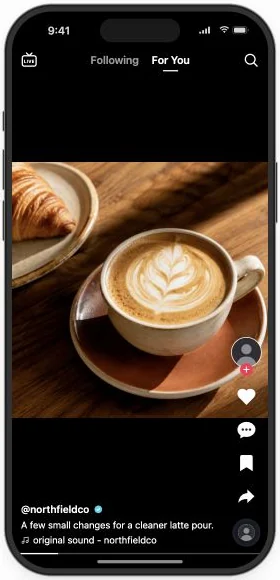
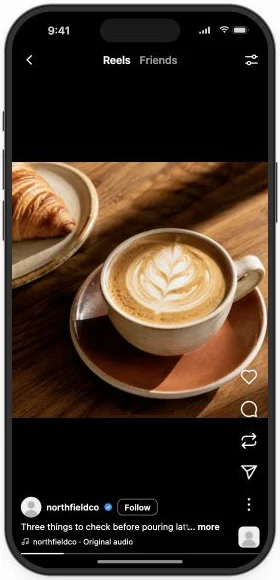
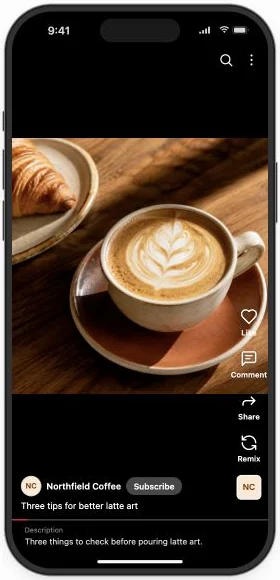
Thu · 6:30 PM IST · all three
You filmed a pour you’re proud of, posted the Reel, and it reached the same few people it always does. TikTok and Shorts never saw it, and the people who asked for your checklist are still waiting. In Postey, you upload it once and schedule it to Instagram, TikTok and Shorts together. Turn on Trial reel and Instagram shows it to people who don’t follow you yet. Anyone who comments POUR gets your checklist link by DM, without you opening the app.
Show it to strangers first, then send it everywhere
- Connect your Instagram professional account, plus TikTok and YouTube. You do this once.
- Open Create → Video, upload the Reel and set the post type to Reel.
- Turn on Trial reel to show it to non-followers first.
- Give TikTok and YouTube their own words, then pick a time.
Test a new idea without risking your feed
A Trial reel goes to non-followers first. So write the caption for strangers: what they get in the first line, then one short ask they can read before the video loops.
New video up. Let me know what you think.
Save this for your next pour. Comment POUR and I’ll send you my checklist.
A stranger knows what they get, and the one word to type to get it.
Do it in one message. Add Postey to Claude or ChatGPT as a connector and sign in once, then paste this. Nothing goes out until you approve it. No AI assistant? The steps above do the same in the Postey app.
Using Postey, prepare this Reel for Instagram, TikTok and YouTube Shorts, to go out Thursday at 6:30 PM: [attach the video]. Write a caption for Instagram and TikTok in my voice, and a title under 100 characters for YouTube. On Instagram, say what viewers get in the first line, then ask them to comment POUR for my checklist. Save all three as drafts and show me. I’ll switch on Trial reel in Postey, then tell you to schedule them.
Turn every POUR comment into a click on your link
Links in Instagram captions aren’t clickable. With Auto DM, set the keyword POUR and Postey sends your link by DM to each person who comments it, even while you sleep.
Here’s my pour checklist. Tap below to get it.
northfield.example/pourSet up your first Auto DM. Try it free
Watch the Instagram Auto DM setupBefore you schedule it
- The first frame shows the finished pour, not a title card.
- Trial reel is on if the idea is new.
- The keyword in the caption matches your Auto DM keyword.
- The link in the DM opens on your phone.
Two mistakes worth avoiding
- Asking for comments before Auto DM is on. Your first commenters get nothing back. Turn on Auto DM before the Reel goes out.
- Copying the Instagram caption everywhere. “Comment POUR” means nothing on TikTok or Shorts. Give each app its own words.
One Reel, filmed once, now reaches strangers on three apps, and every POUR comment ends with your link in their DMs. Set it up before Thursday’s Reel goes out.